
The weights are free to download from Hugging Face, but the license is the first thing to check. SAM 3 ships under Meta's own SAM License rather than a standard open one, with trade-control terms: you agree not to use it for military or warfare purposes, nuclear applications, espionage, or weapons development. Self-hosting also means Python 3.12 or newer, PyTorch 2.7 or newer, and a CUDA 12.6 GPU. If you would rather skip the license and the environment, it runs in your browser on CNAPS Studio, included in the basic plan.
What you get is a segmentation model you talk to. Type a short phrase and it masks every instance that matches: cat, person wearing glasses, car on the left. Attributes and positions are part of the phrase, so a player in white and a player in red come back as different answers rather than one crowd of people.
That flexibility costs size and certainty. At 848 million parameters it is by far the heaviest segmentation model in the CNAPS Studio catalog, and it returns only what you asked for, so a phrase that misses gets you nothing. On Meta's hardest test it reaches roughly three-quarters of what human annotators score on the same images, which is state of the art and still short of a person doing it by hand.
What it actually is
Two pieces share one vision encoder: a detector that finds every match, and a tracker that follows matches through video. The detector reads your text alongside the image, and a presence token does the hard part, telling closely related phrases apart so white and red do not collapse into each other. Meta released it in November 2025.
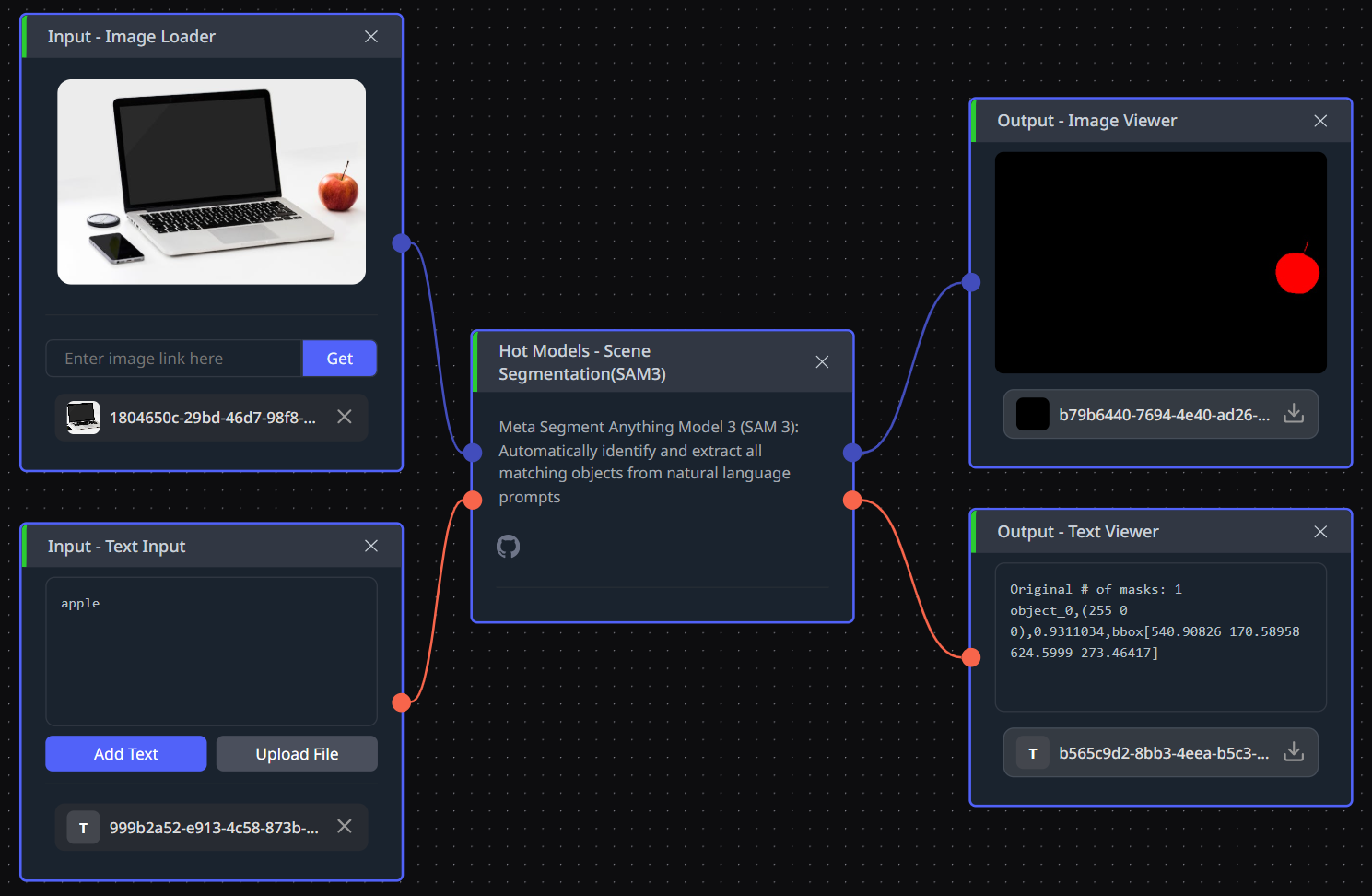
Text is not the only way in. It also accepts points, boxes, and example masks, for concepts easier to point at than to name. In CNAPS Studio you give it an image and a phrase, and back come masks with instance IDs, bounding boxes, and a confidence score for each.
The published numbers
Meta's headline benchmark is SA-Co, scored with cgF1 out of 100. It asks whether a model found every instance of the concept you described and nothing that was not one, so it punishes misses and false alarms alike. On the SA-Co/Gold split SAM 3 scores 54.1 for masks and 55.7 for boxes, against 72.8 and 74.0 for human annotators on the same split.
On LVIS, an older benchmark built around a long list of object categories, it scores 37.2 cgF1 for masks and 40.6 for boxes, and on COCO box detection it reaches 56.4 average precision. The vocabulary behind all this has a number too: SA-Co covers 270,000 unique concepts, and the annotation process behind the training data covered more than 4 million.
All of these come from Meta's repository, so read them as vendor-reported. The saving grace is that the human score is measured on the same images with the same metric, a far more useful anchor than a rival's figure on a different benchmark. Adoption is the other signal available: the Hugging Face page recorded just over 2 million downloads in the last month.
How it compares to the other segmentation models here
These five models are scored on four different scales and cannot be ranked against each other honestly. cgF1 rewards exhaustively finding a described concept, average precision rewards detections against a fixed category list, J&F rewards mask overlap through a video, and a structure measure rewards one clean cutout. For some readers the license column decides it anyway, since only SAM 3 and SAM 3.1 carry trade-control terms.
Choosing is mostly about how well you can describe the target. Reach for SAM 3 when you can name it in a phrase and want every instance. Reach for SAM 3.1 (Scene) for the same job on the newer checkpoint. Reach for SAM 2 (Scene) when you cannot name it and want everything separated instead, for RF-DETR Seg Medium when the target is an everyday object and you need speed, and for BiRefNet (Subject) when it is one subject against a background.
What to chain it with
Input is an image plus a short phrase. Output is a mask per match, each with an ID, a box, and a confidence score, so the phrase you type becomes the selector for everything that follows.
Two chains earn their keep. For privacy work, prompt for faces or license plates and hand the masks to Selective Blur, which blurs those regions and leaves the rest sharp, giving you a publishable image without touching a mask by hand. For product work, prompt for the item, pull the region out with Color Pick by Class, and drop it onto a new background with Layer Compose. The bounding boxes feed Image Crop by Coord when you want each match as its own image, and those crops go to Object Classification or ViLT (Image Q&A).
Open SAM 3 in CNAPS Studio, take a photo where the thing you want sits among similar things, and try three phrasings of the request before deciding how well it listens.
Sources
- github.com/facebookresearch/sam3 for the SAM License and its trade-control terms, the 848 million parameter count, the detector and tracker design, the presence token, the install requirements, the release date, and the SA-Co, LVIS and COCO scores with the human baseline.
- huggingface.co/facebook/sam3 for the concept vocabulary figures and the monthly download count.
- github.com/ZhengPeng7/BiRefNet and github.com/roboflow/rf-detr for the licenses, sizes and metrics of the two models compared above.
- docs.cnaps.ai/ai-model-hub for the CNAPS Studio input and output.