ACE-Step 1.5: full songs with sung lyrics from a style prompt, and where to run it
MIT license, weights free, commercial use allowed, with an Apache 2.0 text encoder. Self-hosting the XL checkpoint needs a GPU with about 20GB of memory, or about 12GB with offloading and 8-bit quantization, according to its makers. In your browser it runs on cnaps studio, included in the basic plan.
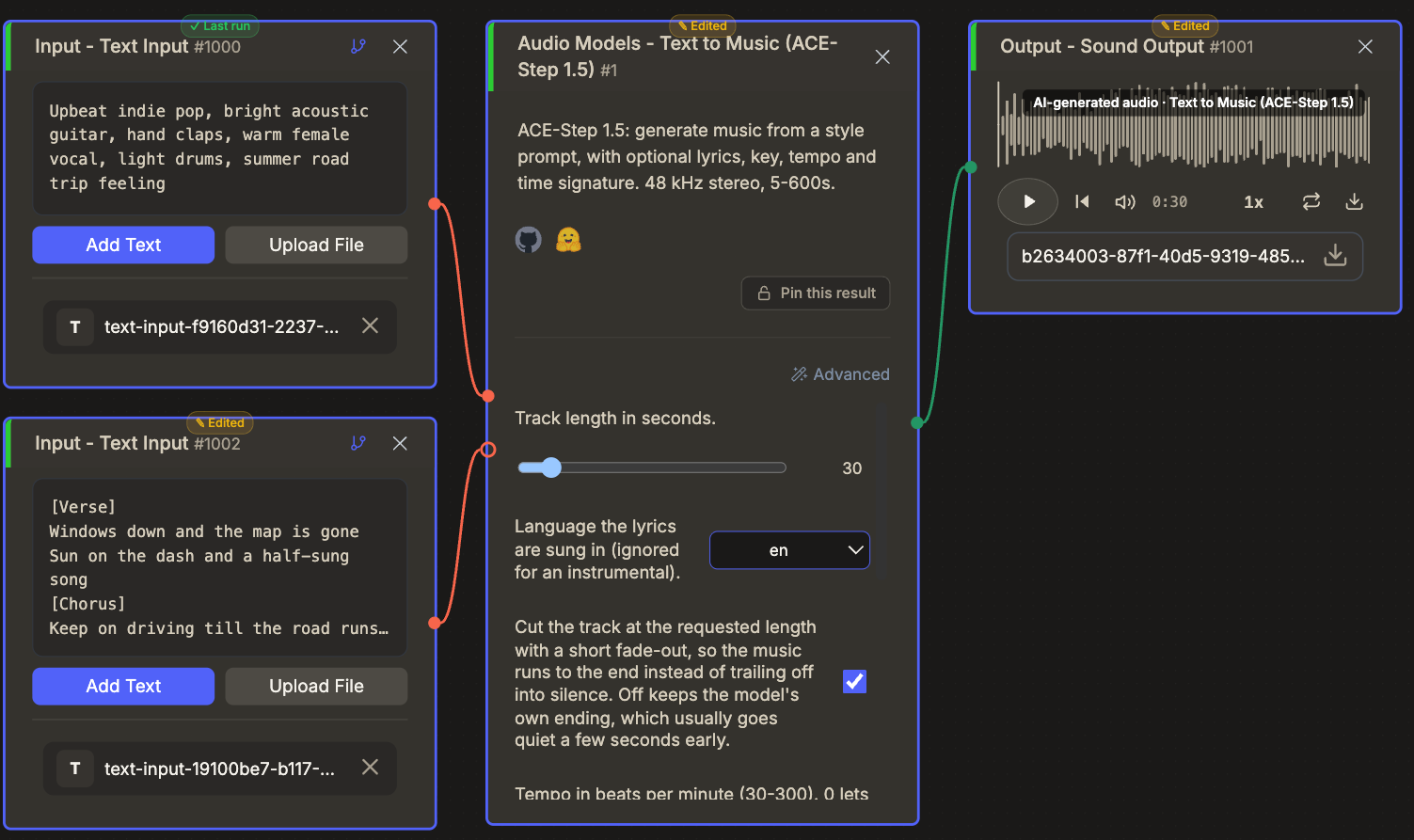
It writes whole songs. Give it a style prompt and, if you like, lyrics with section tags, and it returns a finished track with sung vocals in 48 kHz stereo, anywhere from a five-second sting to ten minutes. In the studio you can also fix the tempo, the key, the time signature and the singing language.
The cost is steering. This turbo checkpoint is distilled to eight steps with no prompt-adherence setting, and it lands on the exact key you asked for about three times in four. Four audio models sit in the cnaps studio catalog, and this is the only one that makes music.
What it actually is
The XL Turbo checkpoint of ACE-Step 1.5, a flow-matching diffusion transformer of about 4 to 5 billion parameters, run in BF16. A condition encoder reads the style and lyrics, an autoencoder works on 48 kHz stereo audio, and guidance distillation lets it finish in eight steps without classifier-free guidance.
The open release says the model handles more than 50 languages and songs of up to ten minutes, though its makers measure quality only up to four minutes.
In cnaps studio you give it a style prompt and optional lyrics. Duration runs from 5 to 600 seconds, default 60, and the studio renders slightly long and trims with a short fade so the end lands cleanly. Vocal language is English, Korean, Japanese, Chinese or Spanish. Tempo, key and time signature default to automatic, and the studio renders up to five candidates to hit a requested key.
Try ACE-Step 1.5 in cnaps studio →
The published numbers
The paper scores songs from 20 styles with bilingual prompts on two automatic panels. AudioBox rates content enjoyment, usefulness, production complexity and production quality out of 10; SongEval rates coherence, musicality, memorability, clarity and naturalness out of 5. Higher is better throughout.
Against leading commercial and open music models in the same table, it was best or tied for best on six of those nine measures. On style and lyric alignment, scored by the authors' own reward models, it trailed the strongest commercial service, 39.1 to 46.8 and 26.3 to 34.2.
Two cautions. The authors ran these tests on a smaller 2B version with a helper language model, not the XL Turbo checkpoint served here, and the same team built the reward models.
How it compares to the other audio models here
These four do different jobs and share no test, so the table maps outputs. The question is simply whether you need music, an effect or a voice.
Reach for Text to Music (ACE-Step 1.5) for a song, a jingle or a score. Reach for MOSS for effects and ambience, Qwen3-TTS for narration in a preset voice, and Qwen3 Voice Design when the voice itself has to be invented.
What to chain it with
A style and optional lyrics in, a finished track out, so it either stands alone or scores a video.
Two chains suit it. Before it, Gemma 4 31B can draft lyrics with verse and chorus tags from a brief. After it, the track can score a silent clip from Wan2.2 TI2V 5B, with Qwen3-TTS narration laid over the top.
Open Text to Music (ACE-Step 1.5) in cnaps studio, generate a 30-second track from one style line, then rerun it with the tempo and key fixed and compare.
FAQ
What does ACE-Step 1.5 need to run locally?
For the XL checkpoint, a GPU with about 20GB of memory without offloading, or about 12GB with offloading and 8-bit quantization; smaller 2B checkpoints run in less. Its makers support songs from ten seconds to ten minutes. In cnaps studio it runs in the browser, included in the basic plan.
How do I make an instrumental?
Write [Instrumental] in the lyrics, or use section tags such as [Intro] and [Outro] with no words under them, and describe the instruments in the style prompt. Fix the tempo with the BPM setting when the track has to cut against a video, and keep the seed once a take works.
Why is my song not in the key I asked for?
A single render lands on the requested key only about 37% of the time. The studio therefore renders up to five candidates and keeps the best match, which raised exact matches to about 75% in testing. Leave the candidate count at five when key matters, and lower it only to save time.
