
QWEN-2511: instruction-based photo editing that keeps the face, and where to run it
Alibaba's Qwen team released this one under Apache 2.0, so the weights are free to download and there are no usage terms to negotiate. Running it yourself means a current install of the Hugging Face diffusers library, bfloat16 precision, and a CUDA GPU with room for 20 billion parameters, which is a serious card rather than a laptop. In your browser it runs on CNAPS Studio, included in the basic plan.
The problem it was built for has a name among people who edit with these models: drift. You ask for a blue blazer and get the blazer, plus a face that is subtly not the same person. This release is tuned to hold the subject's identity steady through the edit, and it will take two separate portraits and fuse them into one coherent group photo rather than producing two strangers standing together.
The cost is weight and silence. At 20 billion parameters it is the heaviest image editor in the CNAPS Studio catalog, and its default setting is 40 diffusion steps, so this is not a quick pass over a batch. More importantly, its model card publishes no benchmark scores at all, which means the identity claim is something you verify on your own faces rather than something you can check against a number.
What it actually is
A diffusion editing pipeline that takes an image and a plain-language instruction and returns a new image. You can add a second image as a reference, which is how the multi-person fusion and style-matching cases work: one image is the thing being changed, the other is where the detail comes from. Prompts work in English and Chinese.
Selected community adapters are folded into the weights themselves. An adapter is a small add-on file that teaches a model one behaviour, such as relighting a scene or turning a subject to a new angle, and normally you load it as an extra step. Here a set of them ship inside the base model, so those behaviours are available from a plain prompt.
Two capability claims are less obvious than the portrait work. It generates construction lines and annotations directly onto design images, and it handles batch product variants and material swaps, which is a manufacturing and industrial-design use rather than a photo-retouching one.
What is actually published, and what is not
There is no benchmark table. The model card carries no scores, no evaluation suite, and no comparison figures, so there is nothing here to report in the way an accuracy number would normally be reported. That absence is worth stating plainly rather than filling with the vendor's adjectives.
What is published is concrete but narrow: 20 billion parameters, Apache 2.0, bfloat16, English and Chinese prompts, and a diffusion editing pipeline distributed through Hugging Face. The one number that comes from outside the vendor is adoption, and the model page recorded 263,462 downloads in the last month.
So treat every quality claim about this model as vendor-reported and unquantified. Identity preservation, multi-person fusion, geometric reasoning: all of it comes from the team that trained it, with no third-party evaluation and no published test to reproduce. That is not a reason to skip it, but it does mean the only evidence that matters is your own before-and-after.
How it compares to the other editors here
None of the three QWEN editors in the catalog publishes benchmark scores, so a table of numbers is not available for any of them and lining up anything would mean inventing it. What separates them is how you point at the edit, which is a design difference rather than a quality difference.
Reach for QWEN-2511 when the change is described more easily than it is outlined, and when you want the model to reason about the whole picture. Reach for QWEN-Inpaint when you can paint a mask over the exact region and want a guarantee that nothing outside it moves. Reach for QWEN-Layered when you want the picture taken apart first so the edit lands on one element in isolation. The catalog also holds purpose-built removal models, PowerPaint, Moebius (Object Removal) and LatentDiffusion (Object Removal), which are the better answer when the job is simply making something disappear.
What to chain it with
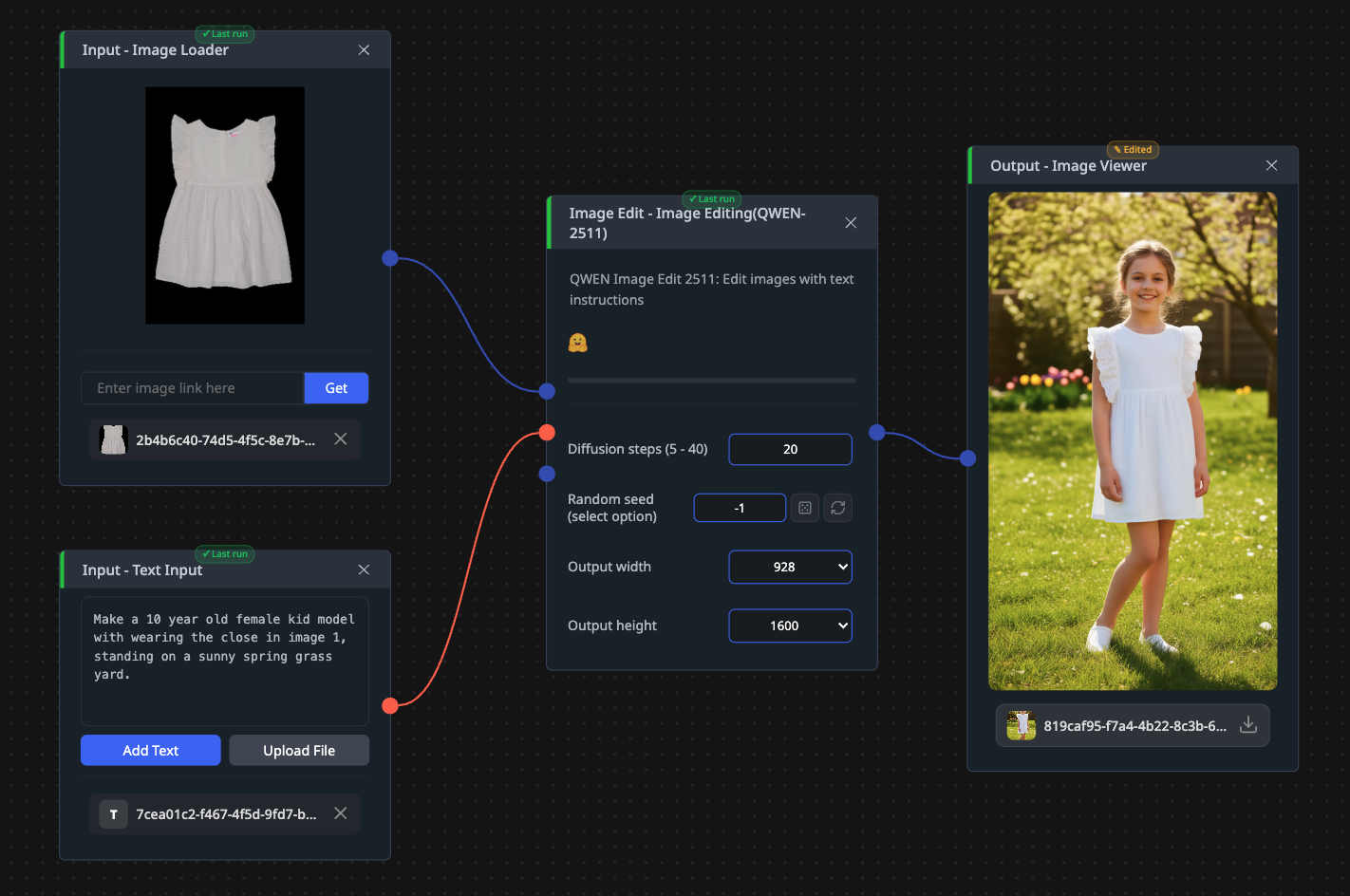
It takes one image plus a text instruction, optionally a second reference image, and returns one edited image sized anywhere from 512 to 1600 pixels on a side.
Two chains earn their place. The layered workflow is the strongest: QWEN-Layered splits the picture into transparent layers, List Extract pulls out the one you care about, QWEN-2511 edits that layer alone, List Inject puts it back, and Layer Compose rebuilds the image, so the rest of the frame is untouched by construction rather than by hope. The other is upscaling, since the output tops out at 1600 pixels: PiSA-SR or Swin2SR takes the edited result up to print or hero-image size.
Open QWEN-2511 in CNAPS Studio, run the same instruction on a photo of a face you know well at 20 steps and again at 40, and judge whether the person survived.
Sources
- huggingface.co/Qwen/Qwen-Image-Edit-2511 for the Apache 2.0 license, the 20 billion parameter count, bfloat16 precision, the diffusers pipeline, the supported languages, the capability claims, the absence of any benchmark table, and the monthly download count.
- docs.cnaps.ai/ai-model-hub for the CNAPS Studio inputs, the diffusion step range, the seed, the output size range, and the other image editing models in the catalog.