
QWEN-Layered: splitting a flat photo into transparent layers, and where to run it
Apache 2.0, weights free on Hugging Face, no terms to accept. Running it yourself means the development branch of the Hugging Face diffusers library, bfloat16 precision, and a CUDA GPU with room for 20 billion parameters, which is data-centre hardware rather than a desk machine. In your browser it runs on CNAPS Studio, included in the basic plan.
What it does is unusual enough to be worth a sentence on its own: it takes a flat photograph and hands back a stack of transparent layers, one element to a layer, the way a designer would have built the file in the first place. A person on one layer, the background on another, a block of text on a third. The photo was never authored that way, and the model works out the split on its own.
That buys you the thing every editing model struggles with. Edit one layer and nothing else in the picture can change, because nothing else was touched. The cost is a slow round trip: 50 diffusion steps by default at a 640-pixel working resolution, then you still have to edit the layer and recompose. Seven image editing models sit in the CNAPS Studio catalog and this is the only one that gives you the picture in pieces.
What it actually is
A diffusion model fine-tuned to output a stack of transparent images rather than a single flat one. Each layer holds one distinct element with transparency behind it, so stacked in order they rebuild approximately the original image. It was published in December 2025 with an accompanying paper.
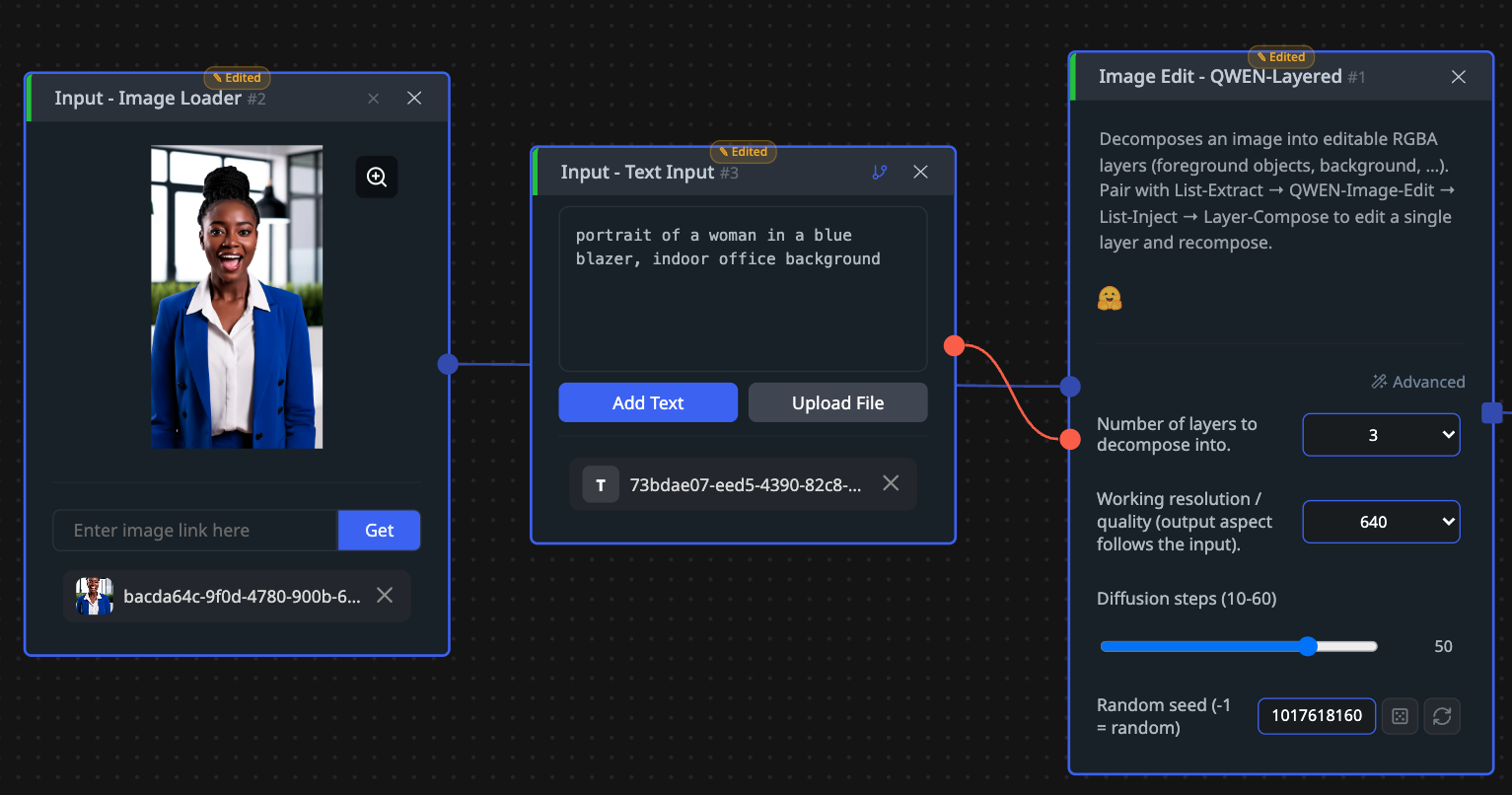
The layer count is yours to choose. Four is the default, but three, eight or more all work, and the model is not locked to a fixed number. Any layer that comes out can be fed back in and split again, so if the first pass lumps two objects together you can decompose that layer on its own. Working resolution is a choice between 640 and 1024, with 640 recommended for this version, and the output aspect ratio follows whatever you put in.
The optional text input is worth understanding. Leave it empty and the model captions the image itself before deciding how to split it. Write your own short caption, such as a portrait of a woman in a blue blazer against an indoor office background, and you steer which elements it treats as separate. English and Chinese both work.
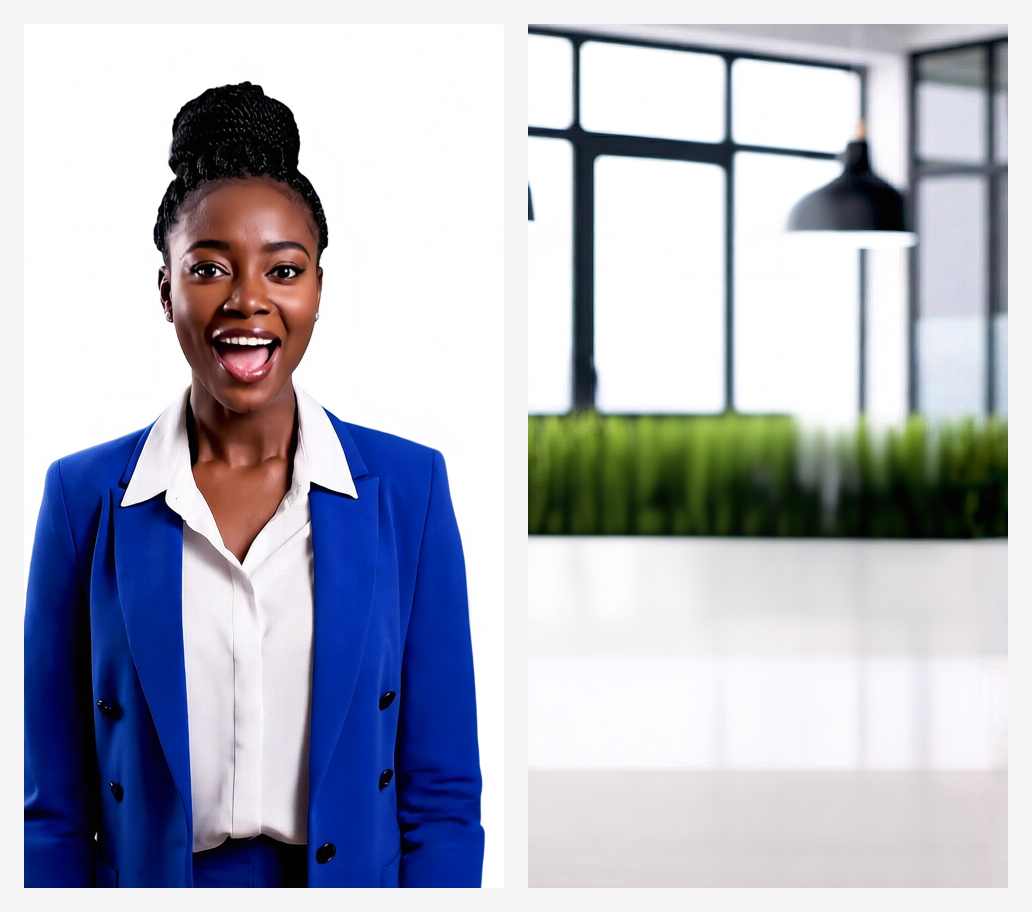
What comes back is a list of transparent images. The subject arrives cut out with nothing behind it, and the room it was standing in arrives as its own separate picture with the subject gone.
What is actually published, and what is not
There is no benchmark table. The model card publishes no accuracy score and no evaluation suite, so there is no number here to report against a scale. The paper exists for anyone who wants the method, but the card itself offers nothing to compare.
What is published is concrete: 20 billion parameters, Apache 2.0, the two resolution buckets, variable and recursive layer counts, and 70,547 downloads in the last month. The claim of high-fidelity resizing, repositioning and recolouring comes from the vendor, unquantified.
The structural argument does not need a benchmark, though. Once an element is on its own transparent layer, leaving the rest of the image alone is not a model behaviour you are trusting, it is a consequence of not editing those pixels. Whether the split itself is clean is the part you have to check by eye.
How it compares to the other editors here
None of the three QWEN editors publishes benchmark scores, so there is nothing to rank and pretending otherwise would be dishonest. They differ in how the edit gets aimed.
Reach for QWEN-Layered when you will make several edits to the same picture, or when the element you want is a whole object rather than a region. Reach for QWEN-Inpaint when one masked area needs changing and you want that in a single pass. Reach for QWEN-2511 when the instruction is easier to write than the boundary is to draw. For plain removal, PowerPaint, Moebius (Object Removal) and LatentDiffusion (Object Removal) are quicker.
What to chain it with
Input is one image, optionally a caption. Output is a list of transparent layer images, which is what makes the rest of the chain possible.
The workflow it was designed for runs List Extract to pull out a single layer, QWEN-2511 to edit that layer alone, List Inject to put it back in place, and Layer Compose to flatten the stack into a finished image. The shorter version skips the editing: take the subject layer straight into Layer Compose over a different background, which gives you a composite with no cutout work at all.
Open QWEN-Layered in CNAPS Studio, run one busy photo at three layers and again at six, and see which split actually isolates the thing you wanted to change.
Sources
- huggingface.co/Qwen/Qwen-Image-Layered for the Apache 2.0 license, the 20 billion parameter count, the publication date, variable and recursive decomposition, the resolution buckets, the capability claims, the absence of any benchmark table, and the monthly download count.
- arXiv:2512.15603 for the method behind the decomposition.
- docs.cnaps.ai/ai-model-hub for the CNAPS Studio inputs, the layer count and resolution settings, the diffusion step range, the caption behaviour, and the layered edit workflow.