
FLUX.2 KLEIN 4B: generating and editing from one model on a consumer card, and where to run it
Apache 2.0 from Black Forest Labs, weights free, commercial use fine, nothing to sign. The number that matters for self-hosting is 13GB of video memory, which puts this on a consumer graphics card rather than data-centre hardware, using the Hugging Face diffusers library or ComfyUI. In your browser it runs on CNAPS Studio, included in the basic plan.
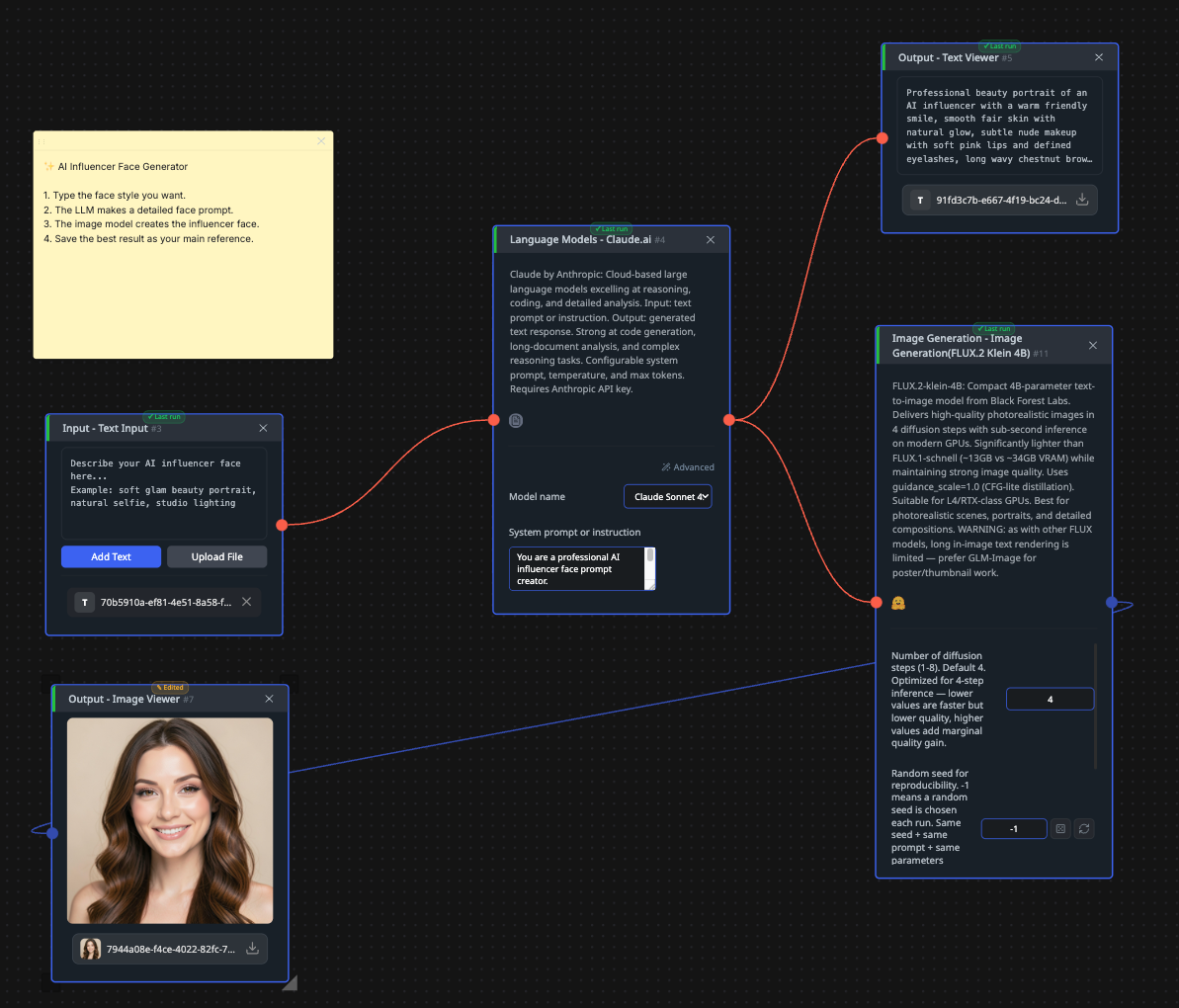
What makes it worth a post of its own is that one model covers three jobs. It generates a picture from a text prompt, edits an existing picture from a written instruction, and composes across several reference images at once. Those are usually three separate models with three sets of quirks, and here they share one set of weights and one interface.
The cost is that it is small. At 4 billion parameters it is a third the size of its faster sibling in this catalog, and nobody has published a number showing what that costs in quality, because nobody publishes quality numbers in this category at all. Five image generation models sit in the CNAPS Studio catalog, and this is the only one that both makes and changes pictures.
What it actually is
A 4-billion-parameter rectified flow transformer. Rectified flow means the model learns a straighter route from noise to finished picture than older diffusion designs take, which is why a handful of steps is enough where those needed dozens.
The three modes are worth separating, because they need different inputs. Text to image needs only a prompt. Editing needs one reference image plus an instruction describing the change. Multi-reference composition takes several images plus an instruction, and is the mode for blending elements from different sources into one picture.
Settings are the same three as its sibling and no more. Diffusion steps run 1 to 8, defaulting to 4, and that is the only quality dial. A seed makes a result repeatable. Output is a square at 512, 768 or 1024 pixels. Worth knowing separately: the model ships with content filters built in, and outputs generated through the vendor's own hosted service carry provenance watermarking.
Parameters4 billionArchitectureRectified flow transformerModesText to image, image editing, multi-reference compositionVideo memoryAbout 13GB, so a consumer graphics cardSteps per image1 to 8, default 4Output sizes512, 768 or 1024 pixels squareSafetyBuilt-in content filters; provenance watermarking on the vendor's hosted outputsFrameworksHugging Face diffusers, ComfyUILicenseApache 2.0
What is published, and what is not
There is no benchmark table. No quality score, no evaluation against other generators, no measurement of what the smaller size costs. The vendor claims quality competitive with much larger models, and that claim has no number attached.
What is published is engineering: 4 billion parameters, the rectified flow design, under a second per image end to end, roughly 13GB of video memory, four steps, and Apache 2.0. Those are checkable facts about cost and capability rather than assertions about beauty.
The absence of scores is normal here rather than suspicious. Image quality has no agreed benchmark, so essentially nothing in this category publishes one, and any post claiming a ranking would be making it up. What you can act on is the specification: this is the model that runs on hardware you might own and does three jobs, and whether its pictures are good enough is a question your own prompts answer in an afternoon.
How it compares to the other image generators here
FLUX.2 KLEIN 4BFLUX SchnellZ-Image-TurboOmniGen2Size4B, about 13GB of video memory12B, needs a serious GPUSee its own postSee its own postText to imageYesYesSee its own postSee its own postEdits an existing imageYesNoSee its own postSee its own postMultiple reference imagesYesNoSee its own postSee its own postSteps1 to 8, default 41 to 8, default 4See its own postSee its own postPublished quality scoreNoneNoneNoneNoneLicenseApache 2.0Apache 2.0See its own postSee its own post
No model in this category publishes a comparable quality figure, so the table compares what each one accepts and costs, not which produces better pictures. Treat the empty score row as the honest answer rather than a gap to be filled.
The split is about inputs and hardware. Reach for FLUX.2 KLEIN 4B when the job involves an existing picture, when you want to blend references, or when the model has to fit on a card you own. Reach for FLUX Schnell when the input is only ever text and you would rather have the larger model. Reach for Z-Image-Turbo, SANA-Sprint 1.6B, DeepGen-1.0, GLM-Image or OmniGen2 when their particular strengths fit, and decide by running one prompt through several.
What to chain it with
It takes text, or an image plus text, or several images plus text, and returns one picture at 1024 pixels or less. Being able to accept images is what changes its position in a chain: it can sit in the middle rather than only at the start.
Two chains use that. For product work, BiRefNet (Subject) cuts your product out of its original photo and this model composes it into a new scene from a written description, which is a two-step route to a shot that never existed. For refinement, generate a base here, then send it to QWEN-Inpaint when one region needs replacing with a hard guarantee that nothing else moves. Either way, PiSA-SR or SMFANet+ at the end takes 1024 pixels up to print size.
Open FLUX.2 KLEIN 4B in CNAPS Studio, generate a picture, then feed that picture back in with an instruction to change one thing, and see how much of the original survives.
Sources
- huggingface.co/black-forest-labs/FLUX.2-klein-4B for the Apache 2.0 license, the 4 billion parameter count, the rectified flow architecture, the three modes, the video memory requirement, the sub-second generation claim, the built-in safety features, and the absence of any benchmark table.
- huggingface.co/black-forest-labs/FLUX.1-schnell for the comparison column.
- docs.cnaps.ai/ai-model-hub for the CNAPS Studio step range, seed, output sizes and the other image generators in the catalog.