
ByteDance released SeedVR2 under Apache 2.0, so the weights are free and the terms are the permissive standard. At 3 billion parameters self-hosting means the Hugging Face diffusers library and one ordinary GPU rather than a cluster. In your browser it runs on CNAPS Studio, included in the basic plan.
The thing worth knowing is how few passes it takes. Restoration models of this kind normally step through a long denoising schedule, running the whole video through the network dozens of times to clean it up. SeedVR2 does it in a single pass, which is where all the speed comes from, and the team's claim is that quality holds up against the multi-pass alternatives rather than being sacrificed for it.
The cost is honesty about what it cannot do. Its own authors say it is not robust to heavy degradation or very large motion, and that on footage which is already clean it tends to invent detail and oversharpen. They also call these prototype checkpoints. Four video upscaling models sit in the CNAPS Studio catalog, and this is the lighter of the two that restore rather than just enlarge.
What it actually is
A diffusion model trained so that one step does the work of many. The training method matters more than usual here: rather than learning to denoise gradually, it was trained adversarially on real degraded footage, which is what lets a single pass produce a finished frame. It handles different output sizes with an attention scheme that adapts to the target resolution, which is the part that keeps large outputs from breaking up.
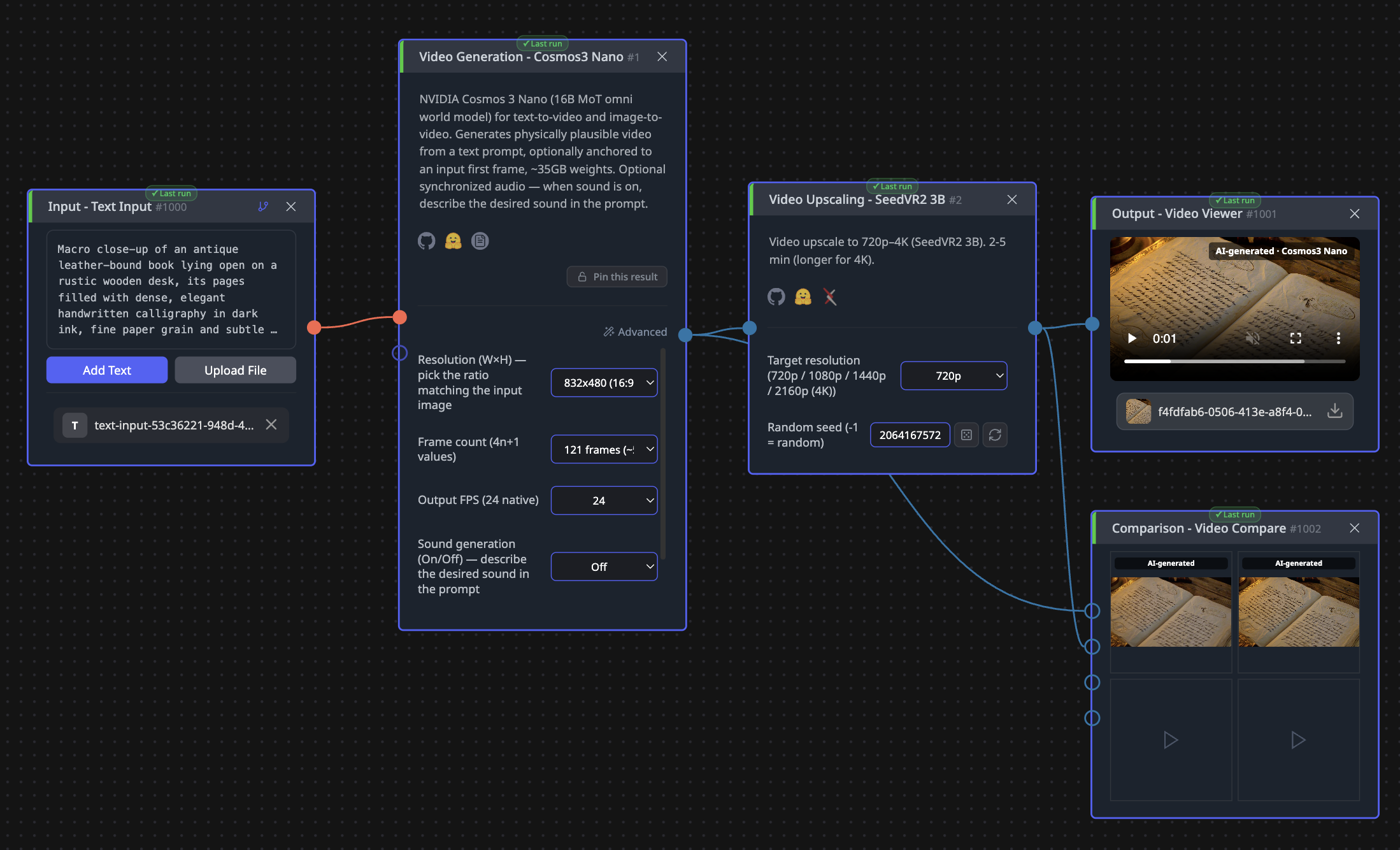
Input is one video, degraded however it happens to be degraded: compressed, blurry, noisy, or simply small. There are only two settings. Target resolution is a dropdown of 720p, 1080p, 1440p and 4K, defaulting to 720p, and it is both the quality dial and the time dial. A random seed makes a restoration reproducible.
Output is an MP4 at the resolution you asked for. Note what is not on offer: no strength slider, no denoise amount, no before-and-after blend. You pick a size and accept the model's judgment about how much to reconstruct, which is why the oversharpening warning matters.
What is published, and what is not
There is no benchmark table on the model card. No restoration score, no comparison against other upscalers, nothing to rank. The paper behind it was posted in June 2025 and carries the method, but the card itself offers no numbers to quote.
What is published instead is unusually useful: a limitations section written by the people who trained it. Heavy degradation and very large motion may defeat it. Lightly degraded input may come back oversharpened, with detail that was never there. And the checkpoints are prototypes whose behaviour may not match the paper. That is more candour than most model cards manage, and it should shape how you test.
The one third-party signal is adoption, and it is strong for a restoration model: 61,865 downloads in the last month, roughly six times its larger sibling. That gap suggests most people running this family reach for the smaller one, which is a reasonable prior for you too.
How it compares to the other upscalers here
None of the four video upscalers in the catalog publishes a comparable quality score, so any table here compares what they do rather than how well. The real division is between restoring and enlarging.
Reach for SeedVR2 3B when the source is genuinely damaged, old, compressed or noisy, and you want it rebuilt rather than merely made bigger. Reach for SeedVR2 7B when the same job needs more fidelity and you will wait longer for it. Reach for FlashVSR-v1.1 when you want fast four-times enlargement of footage that is already clean, and SparkVSR when you have a short clip and a reference frame to guide it. If the input is a still image rather than a clip, PiSA-SR or SMFANet+ are the right shape.
What to chain it with
Input is a video file, output is a video file, which makes this a middle step rather than an endpoint.
Two chains do most of the work. The obvious one is rescue: a generated clip from Helios Distilled comes out at 640 by 384, and sending it here at 1080p turns a fast draft into something publishable. The other is archive work, where old footage goes through here first and then to Subject Follow (9:16) for a vertical cut, or through Video Split and Image Colorization if the source is black and white. Because output is a real MP4, Video Concat will join several restored clips into one timeline.
Open SeedVR2 3B in CNAPS Studio, run one genuinely degraded clip and one that is already clean, and see for yourself where the oversharpening warning starts to bite.
Sources
- huggingface.co/ByteDance-Seed/SeedVR2-3B for the Apache 2.0 license, the 3 billion parameter count, the one-step approach and adaptive attention, the June 2025 publication, the limitations quoted above, the absence of any benchmark table, and the monthly download count.
- huggingface.co/ByteDance-Seed/SeedVR2-7B for the larger variant's download count.
- docs.cnaps.ai/ai-model-hub for the CNAPS Studio input, the target resolution options, the seed setting, and the other upscaling models in the catalog.