
DeepSeek-OCR: where to run it, and what it's good at
DeepSeek released this model under MIT, so the weights are free to download and self-host. Doing that takes a GPU, a CUDA environment, and a vLLM or Transformers install. If you would rather skip all of it, the model also runs in the browser on cnaps studio, included in the basic plan.
What you get is a model built around an unusual idea. Tokens are the unit language models are billed and limited by, and a page of text normally costs a thousand of them or more. DeepSeek-OCR renders the same page into 100 vision tokens at its Small setting, or 64 at Tiny, and decodes the text back out of them. Resolution is the dial, and token spend is what it controls.
The accuracy cost is published rather than implied. DeepSeek's paper reports 97% decoding precision while the text stays within ten times the vision token count, falling to roughly 60% at twenty times. Three OCR models sit in the cnaps studio catalog and this is the only one where that trade is something you set.
What it actually is
Two parts. DeepEncoder turns the page image into a small set of vision tokens, and a 3-billion-parameter decoder named DeepSeek3B-MoE-A570M reads text back out of them. The encoder is the piece that matters here: it holds the token count down even when you hand it a high-resolution page, which is what makes the compression trick possible at all. Released in October 2025, with about 2.4 million Hugging Face downloads in the last month.
| Mode | Input | Vision tokens |
|---|---|---|
| Tiny | 512×512 | 64 |
| Small | 640×640 | 100 |
| Base | 1024×1024 | 256 |
| Large | 1280×1280 | 400 |
| Gundam | n×640×640 + 1×1024×1024 | dynamic |
The first four are fixed resolutions. Gundam is DeepSeek's name for the dynamic mode, which tiles the page into 640×640 crops and adds a single 1024×1024 view of the whole thing, giving the model local detail and global layout at once. It is what the official inference example uses, and it is the most expensive of the five.
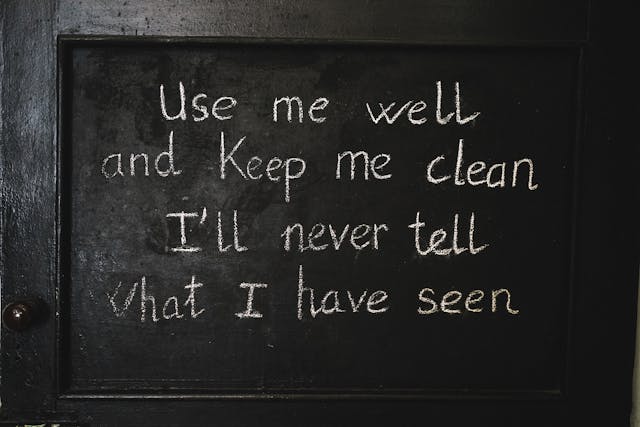
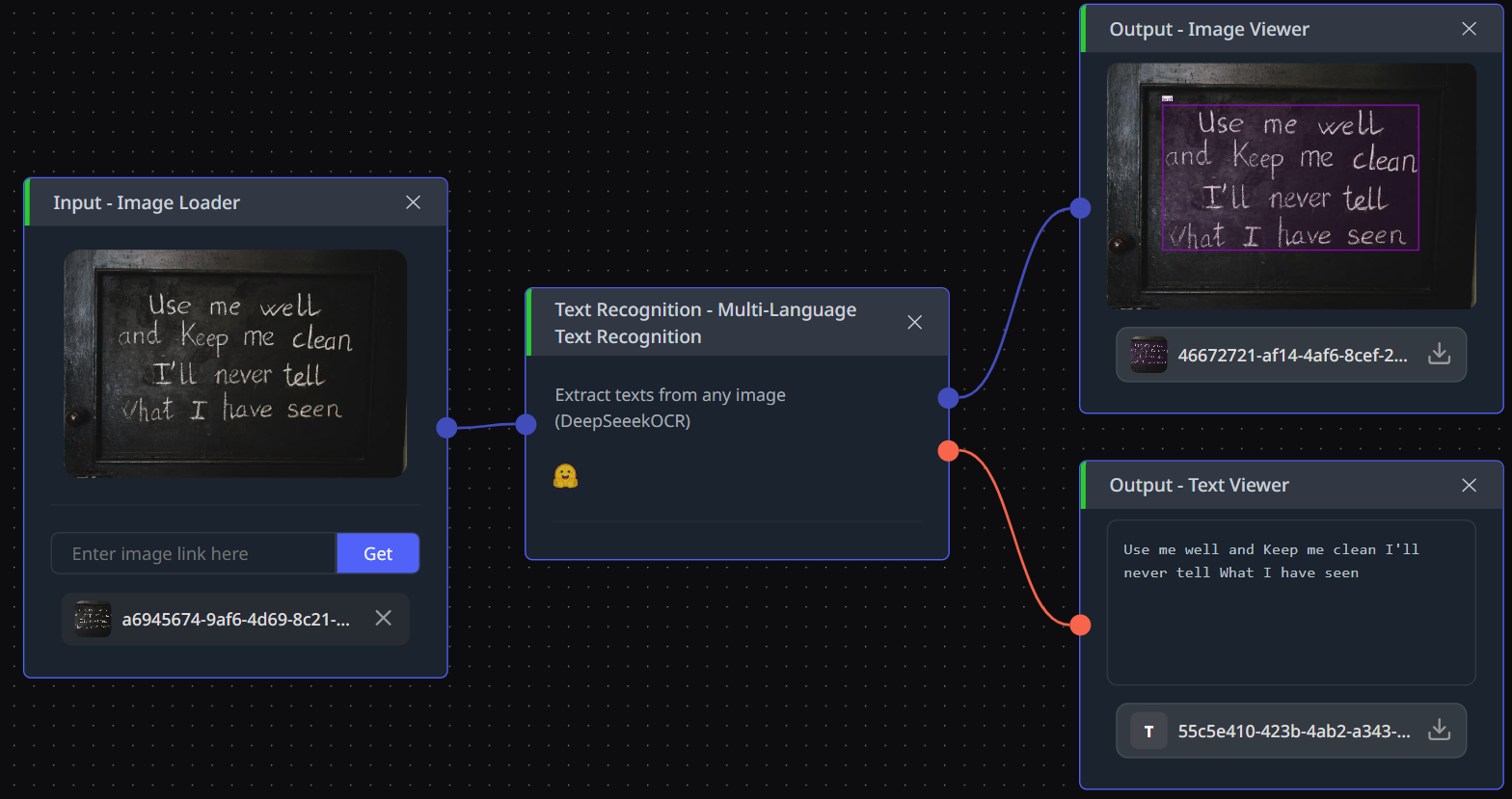
The prompt decides the output shape, not a config flag. <|grounding|>Convert the document to markdown returns structured markdown with bounding boxes. Free OCR returns plain text with no layout. Parse the figure reads charts and diagrams embedded in a page. Locate <|ref|>...<|/ref|> returns coordinates for a specific string. Same weights, four different jobs.
The published numbers
olmOCR-bench measures how accurately a model reads real scanned documents, scored out of 100. The Hugging Face model card reports 75.7 overall for DeepSeek-OCR, 77.2 on arXiv maths papers, and 73.6 on old scanned maths. On Real5-OmniDocBench, a separate benchmark for parsing a full page rather than reading lines of it, the card reports 73.99.
Two things to hold onto. A score only means something inside the benchmark that produced it, so 75.7 here and a 94.62 somewhere else are not two points on one scale. That distinction carries the next section. And the compression ratios above come from DeepSeek's own paper rather than an independent evaluation, so they are vendor-reported; the two benchmark scores are third-party and carry more weight.
How it compares to the other two OCR models here
| DeepSeek-OCR | GLM-OCR | PaddleOCR (PP-OCRv5 Korean) | |
|---|---|---|---|
| Type | Vision-language model | Vision-language model | Detection + recognition pipeline |
| Size | 3B, needs a GPU to self-host | 0.9B, fits a small GPU | ~17M, runs on a CPU |
| Output | Markdown, plain text, figures, coordinates | Text, LaTeX formulas, tables, JSON schema | Text with bounding boxes |
| License | MIT | MIT | Apache-2.0 |
| Distinctive | Token cost is a setting | 94.62 on OmniDocBench V1.5, ranked first | Runs on CPU, Korean-tuned |
Those benchmark scores are not comparable and lining them up would be dishonest. GLM-OCR's 94.62 is OmniDocBench V1.5, DeepSeek-OCR's 73.99 is PaddlePaddle's Real5 variant, and PaddleOCR's published accuracy is line-level recognition, which is a different task from full-page parsing. The cheapest way to settle it is twenty of your own pages through all three, which takes less time than reading the three papers.
The practical split is clearer than the scores. Reach for DeepSeek-OCR when pages are feeding a downstream language model and the token bill is your constraint. Reach for GLM-OCR when you need formulas, tables, or a JSON schema pulled out of a form. Reach for PaddleOCR when the text is Korean signage, menus, or ID cards, which are short lines rather than whole documents.
What to chain it with
It takes one image and returns text. Anything that produces an image can feed it, and it swaps for either of the other two OCR models without touching what sits around it.
Two chains it sits in naturally. Blurry or heavily compressed scans go through Swin2SR or JPEG Quality Restoration first, so the encoder gets a cleaner page than the archive gave you. And the grounding coordinates it returns feed Image Crop by Coord, which lets you cut the invoice total or the ID number out as an image region instead of trusting a string match against the full-page text.
Its markdown output also drops straight into a multimodal language model such as Gemma 4 31B or Qwen3.6-35B-A3B, for when the next step is summarizing or classifying rather than reading.
Open DeepSeek-OCR in cnaps studio, run twenty of your own pages through it, and chain it against the other two before you decide.
Sources
- GitHub: deepseek-ai/DeepSeek-OCR. Resolution modes, prompt modes, throughput, license.
- Hugging Face: deepseek-ai/DeepSeek-OCR. Model size, evaluation results, downloads.
- Hugging Face: zai-org/GLM-OCR. Comparison row.
- GitHub: PaddlePaddle/PaddleOCR. Comparison row.