
GLM-OCR: a 0.9B document reader ranked first on OmniDocBench, and where to run it
MIT, weights free on Hugging Face, with the layout component it depends on carried under Apache 2.0. Self-hosting is unusually undemanding for a document model: 0.9 billion parameters, roughly 2.2GB of video memory, and five supported runtimes to load it with. In your browser it runs on CNAPS Studio, included in the basic plan.
What makes it worth a look is the ratio. GLM-OCR sits first overall on OmniDocBench V1.5 at 94.62, the benchmark for reading a whole document page rather than a line of text, and it does that at under a billion parameters. It is built for pages: dense tables, multi-column layouts, formulas, stamps and seals.
Two costs. It answers two kinds of question only, parse this page or pull these named fields out of it, and the second requires you to write a JSON schema first. It covers eight languages, narrow next to what general text recognition tools claim. Three OCR models sit in the CNAPS Studio catalog, and this is the one for structured documents.
What it actually is
An encoder-decoder built on the GLM-V design. A visual encoder called CogViT reads the page, a connector compresses what it saw into far fewer pieces than the raw image would produce, and a 0.5-billion-parameter GLM decoder writes the answer out as text. Training added a multi-token prediction objective and a reinforcement learning stage on top of the usual recipe.
The part that decides how it behaves on a messy page is the two-stage pipeline. Layout analysis runs first, splitting the page into regions, and recognition then runs on those regions in parallel. That ordering is why a three-column report with a table in the middle comes back in reading order rather than interleaved.
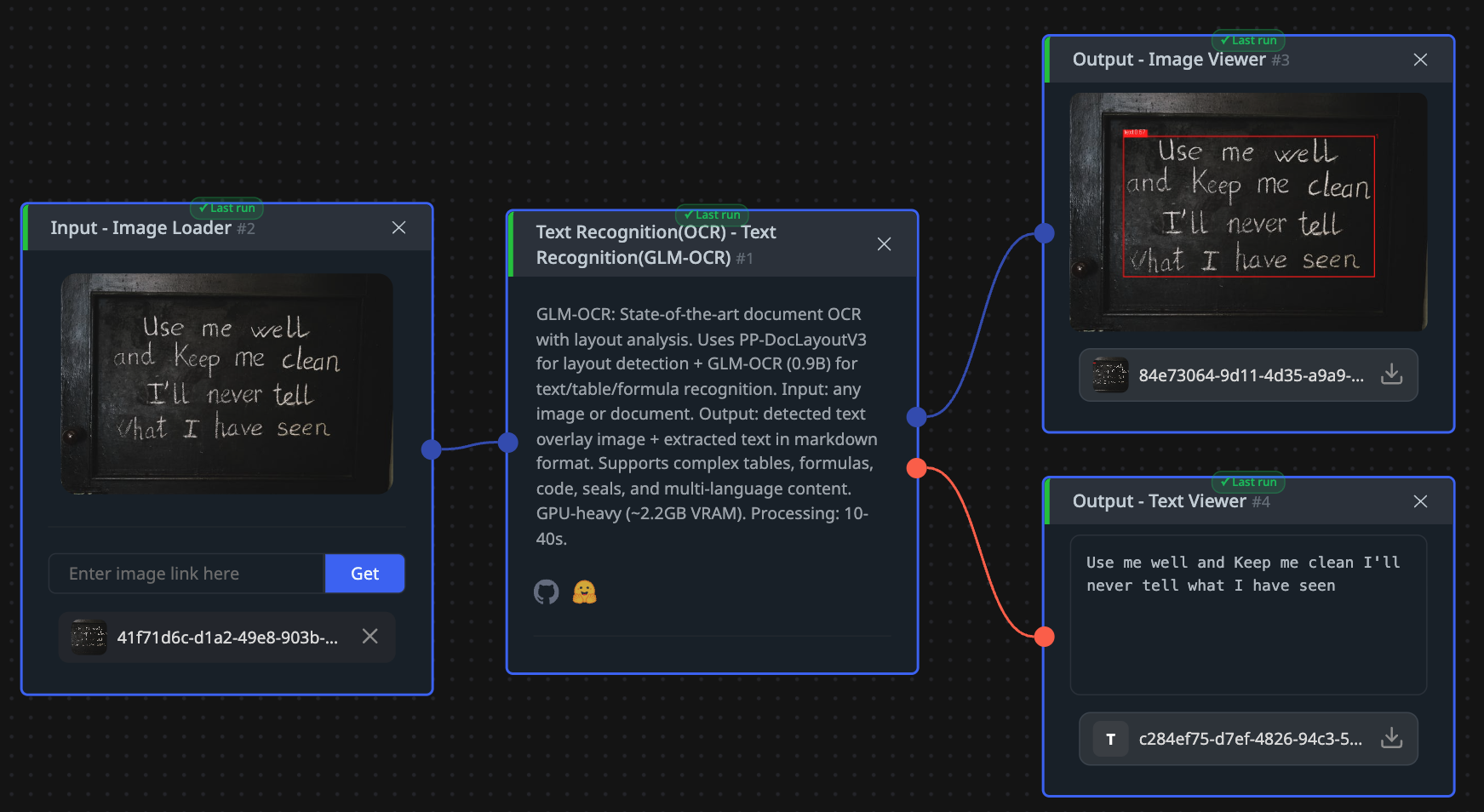
Four prompts are available in the studio, and they change the job rather than the settings. Text Recognition returns everything readable. Formula Recognition returns mathematics. Table Recognition returns tables in structured form. Information Extraction takes a JSON schema you define and returns only those fields, turning an invoice or an identity document into a record rather than a wall of text. Output is the extracted text in markdown plus an overlay image showing what was found where, and a page takes ten to forty seconds.
Parameters0.9 billionArchitectureEncoder-decoder on GLM-V: CogViT visual encoder, a downsampling connector, a GLM-0.5B decoderPipelineLayout analysis first, then recognition of each region in parallelPrompt modesText, formula, table, and field extraction against a JSON schemaLanguages8OutputMarkdown text plus an overlay imageRuntimesvLLM, SGLang, Ollama, Transformers, Docker Model RunnerTechnical reportMarch 2026LicenseMIT, with the layout component under Apache 2.0Downloads last month2,000,195
The published numbers
Three benchmarks appear on the model card and they do not share a scale. OmniDocBench V1.5, which grades full-page parsing, gives 94.62 and a first place overall. olmOCR-bench, which grades reading real scanned documents, gives 75.2 overall, 80.7 on arXiv mathematics and 68.3 on old scanned mathematics. ParseBench gives a mean of 29.6. Reading those three as a ranking of the same thing would be wrong, because each number only means something inside the test that produced it.
The mathematics rows are the useful ones for planning: the twelve-point gap between clean arXiv papers and old scans marks where this model, like every document model, is weakest.
On credibility the picture is the usual mix. The scores come from the vendor's own card and technical report, published in March 2026, so nobody outside has re-run them. The counterweight is adoption at 2,000,195 downloads in the last month, which is not evidence of accuracy, though at that volume a badly wrong claim would have been noticed.
How it compares to the other OCR models here
GLM-OCRDeepSeek-OCRPaddleOCR (PP-OCRv5 Korean)TypeVision-language modelVision-language modelDetection and recognition pipelineSize0.9B3BThree small models in sequenceolmOCR-bench overall75.275.7Not measured on this benchmarkOther published score94.62 on OmniDocBench V1.5, ranked first73.99 on Real5-OmniDocBench88.0 percent on Korean text linesOutputMarkdown, formulas, tables, JSON recordsMarkdown, plain text, figures, coordinatesText with coordinatesLicenseMITMITApache 2.0DistinctiveField extraction against a schema you writeToken cost is a setting you chooseTuned for Korean, and the lightest of the three
One row in that table is a genuine head-to-head and the rest are not. GLM-OCR's 75.2 and DeepSeek-OCR's 75.7 are both olmOCR-bench overall, so those two land within half a point of each other on the same test at very different sizes. Every other row lines up numbers from different benchmarks, and PaddleOCR's grades a single line of text that has already been found, not a page.
The practical split is easier than the scores. Reach for GLM-OCR when the page has structure worth keeping: tables, formulas, or named fields you want back as a record. Reach for DeepSeek-OCR when what you are managing is a language model's budget per page. Reach for PaddleOCR when the text is Korean signage, a menu or an identity card, where the job is short lines rather than a document.
What to chain it with
One image in, markdown and a JSON record out, which puts every interesting chain downstream.
Two are worth building. For archive scans, run JPEG Quality Restoration or Real-World Blur Removal first, since layout analysis suffers most when edges are soft, and a cleaner page changes how the whole thing is divided rather than a character here and there. For a pile of forms, the Information Extraction output drops straight into whatever stores your records, and Image Gate by Text in front of it passes only the pages carrying the word you care about.
When the next step is judgment rather than reading, the markdown goes to a multimodal model such as Gemma 4 31B or Qwen3.6-35B-A3B.
Open GLM-OCR in CNAPS Studio, run one page with a table on it under Text Recognition and then again under Table Recognition, and see how differently the same page comes back before you commit a batch to either.
Sources
- huggingface.co/zai-org/GLM-OCR for the MIT license and the Apache 2.0 component, the 0.9 billion parameter count, the CogViT encoder and GLM-0.5B decoder, the multi-token prediction and reinforcement learning training, the 94.62 on OmniDocBench V1.5 and its first place, the olmOCR-bench and ParseBench scores, the eight languages, the supported runtimes, the March 2026 technical report, and the monthly download count.
- huggingface.co/deepseek-ai/DeepSeek-OCR and huggingface.co/PaddlePaddle/korean_PP-OCRv5_mobile_rec for the comparison rows.
- docs.cnaps.ai/ai-model-hub for the CNAPS Studio prompt modes, the output shape, the expected processing time, and the memory requirement.