A quick food photo can capture the dish and everything around it: a cup, cutlery, and half the table. When that photo goes on your restaurant menu, those distractions come with it.
Rescue My Food is an AI food photo enhancer in CNAPS Studio. It cleans up distracting backgrounds and improves lighting to help turn everyday dish photos into clearer menu images. Upload a food photo and run the prepared task—there is no prompt to write or workflow to build.
The card features our partner Upswell, which helps restaurants reach local customers and bring guests back.
You get 3 free runs across all CNAPS Studio cards without an account. Sign in to download your result. A free plan is also available after signing up.
From a table snapshot to a menu photo
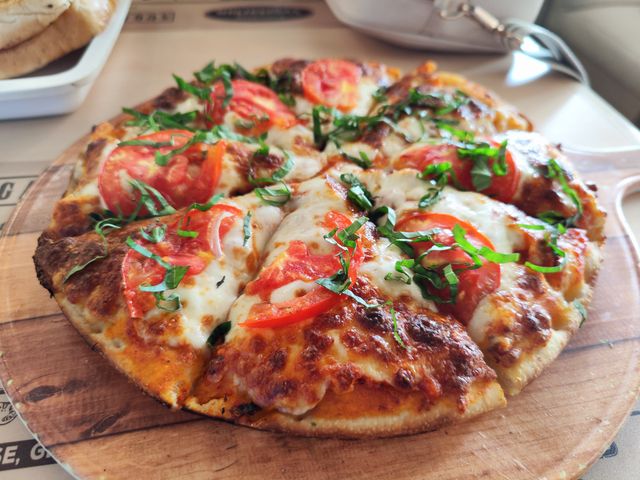
The example starts with a tomato, basil, and cheese pizza on a wooden board. A cup, cutlery, and other table items appear around it. In the result, those distractions are gone. A softly blurred background keeps the attention on the pizza, with brighter highlights on the cheese and more visible texture in the crust.
Before
After
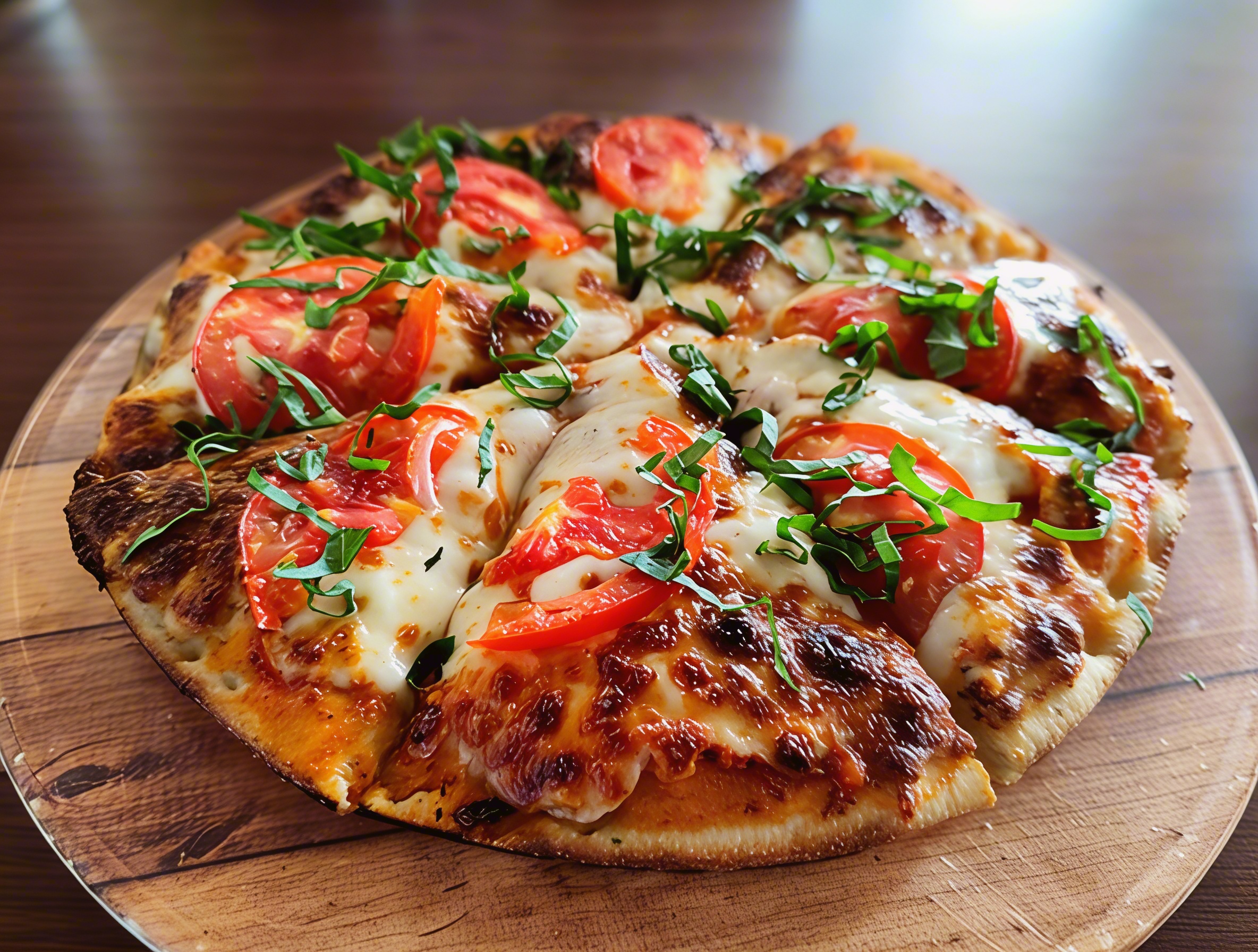
Original photo and actual AI-edited result from the Rescue My Food card. Select an image to view it at full size.
The result also changes some small details in the toppings. Before using it on your restaurant menu or a delivery app such as DoorDash or Uber Eats, check that the ingredients, portion size, and presentation still match the dish customers will receive. Check the platform’s current photo requirements before uploading.
How to improve your food photo
- Open the card. Go to Rescue My Food and look through the pizza example.
- Upload one dish. Click Use my image and choose a PNG, JPG, or WebP. The card accepts photos taken from the side or above, including dim or cluttered restaurant shots.
- Click Run. The card lists a processing time of about one minute. The editing task is already set up.
- Review the result. Compare it with your original. Check the food itself as well as the lighting and background.
- Download your photo. Sign in to download the version you want to use.
Pick a photo that shows the dish clearly
Start with one dish as the main subject. Keep the whole serving in view where possible, and choose an angle that shows what is in it. For a pizza, that means seeing the toppings and crust; for a bowl, it might mean a view from above.
A busy table is something this card is designed to handle. Food hidden behind a glass or outside the frame is harder to judge. Choose the clearest source you have, then review the edited image at the size it will appear on your menu or website.
Meet Upswell, our restaurant growth partner
A menu photo is one part of getting a restaurant noticed. Upswell helps restaurants with local creator campaigns, hyper-local advertising, and guest follow-up—from promoting a grand opening to encouraging a second visit.
The photo editing happens in CNAPS Studio. The card’s Visit Upswell button takes you to Upswell to learn about its restaurant marketing services.
Do I need food photography or editing experience?
No. You supply the photo, and the card handles the prepared edit. Start with a dish you already serve and compare the result with your original before publishing it.
